Map Features & Performance Updates
All features and improvements described below are available in the Dronetag App starting from version v2.180.4.
This feature brings significant improvements to how maps work in the Dronetag app — including brand new official flight grid layers and smoother overall map handling.
Map Layers – Official Flight Grids for US and Czech Republic
- This feature brings support for additional map layers.
- We’re starting with flight grid overlays for the United States and the Czech Republic, based on official data sources from FAA and ŘLP.
- These datasets are updated automatically on a regular basis, ensuring you always have the latest airspace information available.
How to Enable Map Layers
🗺️ To enable a map layer in the app:
- Open the Dronetag App.
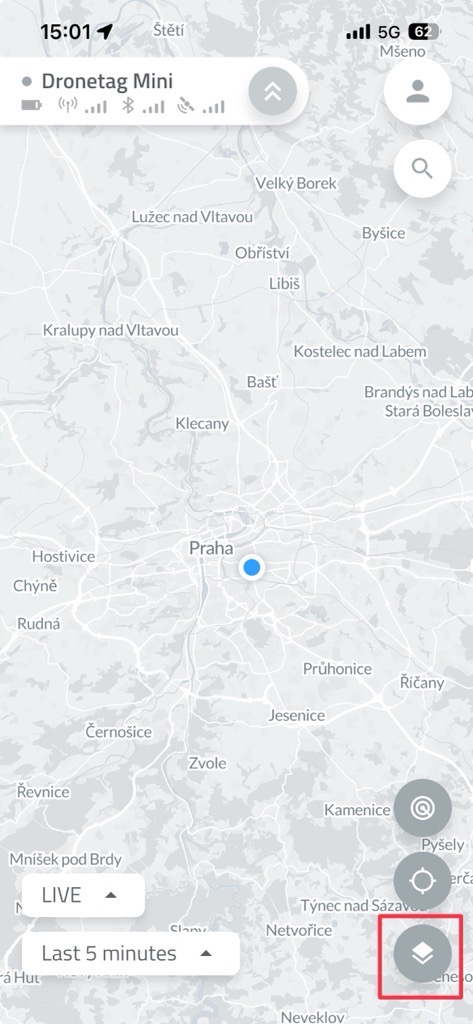
- On the Home screen, tap the two overlapping squares icon (as shown in the image).
-
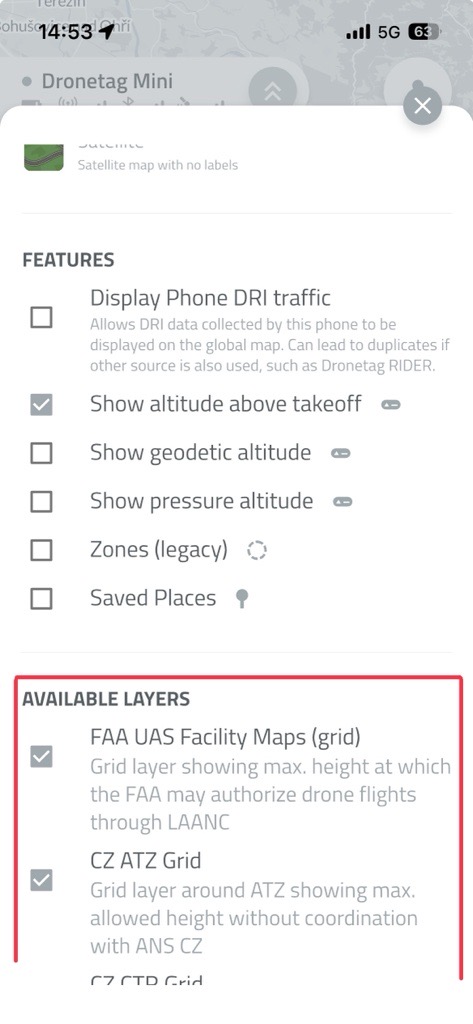
Scroll down to the list of available layers.
-
Select the layers you want to display by toggling them on.
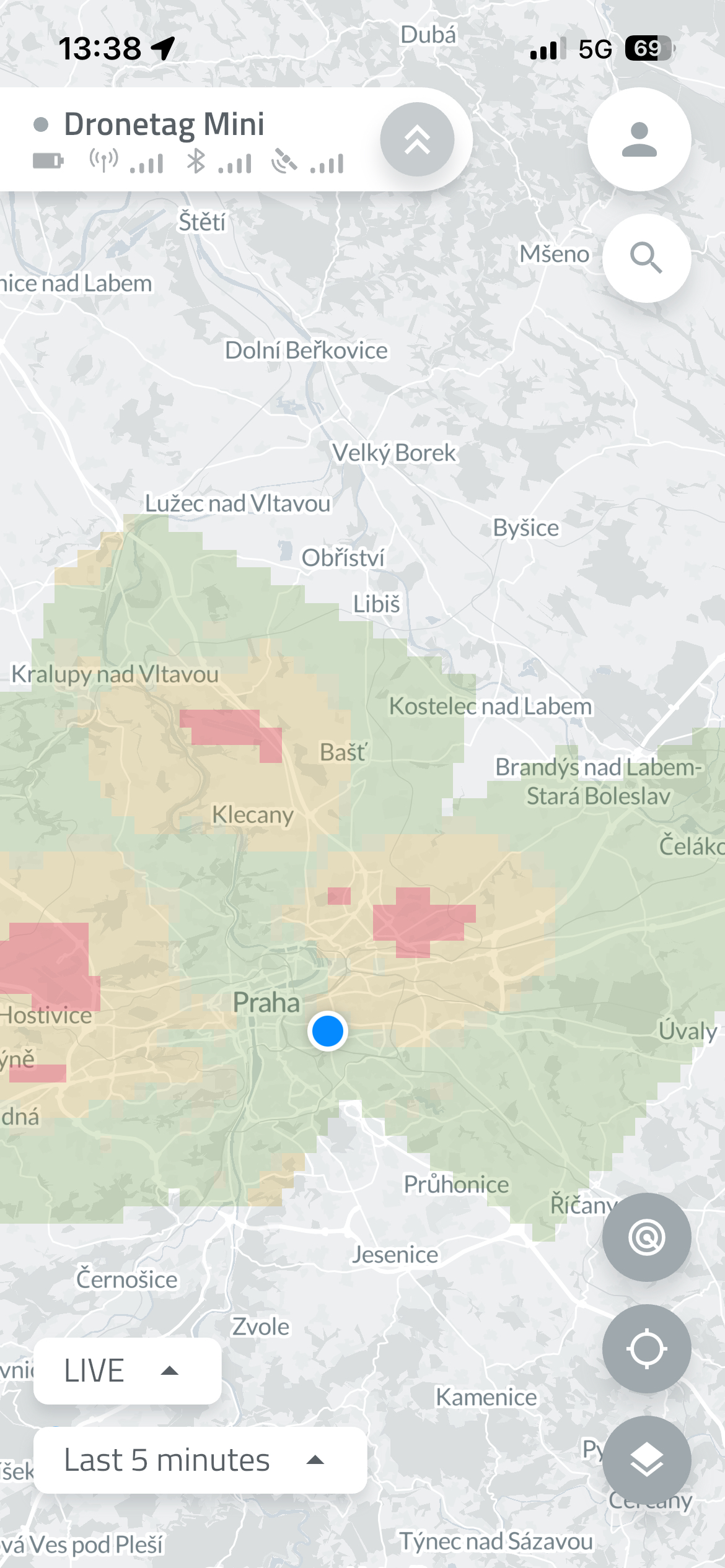
- The selected layers will now appear on your map view.
tip
You can enable multiple layers at once - the map will automatically adjust to show all relevant information.*
Smart Map Settings Panel
- The map settings panel intelligently shows only relevant overlays for your region.
(Exception: for the US, the FAA dataset currently covers almost the whole planet — we’re working on smarter filtering there.)
Improved Map Loading Performance
- The map loading process has been refined — no more unnecessary reloads after every move!
- The app refreshes map data only when you make a large zoom-out or move far away from your current position.
Safe Restarts and Firmware Updates
- Devices can only restart or update firmware while in flight.
- This prevents firmware issues during active operation.
(Does not apply to Dronetag RIDER while scanning.)
Integration Portal Update
- The integration portal supports empty payloads.
- Some partners use this feature to verify integration functionality even when no telemetry data is available.