Device Data Sharing
Available in the Dronetag App starting from version v2.167.1, with follow-up improvements in v2.170.2.
In the Dronetag app, you can share live data from your Dronetag RIDER or Dronetag Scout or even Dronetag Mini 4G device with another user who also has a Dronetag account.
This allows them to see your device in their list and view its current position on the map in the app.
You’ll see all detections in your Detections history, starting from the day you got access to the shared data.
Device Sharing from the App
- Devices (Mini 4G, RIDER, Scout) can be shared directly from the app.
- Once shared, the invited account immediately sees new detections and flight data from the shared device.
- This makes collaboration and multi-account operations much smoother.
💡 How to Share Live Data
Here’s how to start your first live sharing session.
You can configure your RIDER or Scout directly from the app and watch detections appear in real time.
📱 How to Start Sharing
You can share data either in the Dronetag mobile app or in the Dronetag Web App:
- Go to Profile → My Devices.
- Select your Dronetag RIDER or Dronetag Scout.
- Tap Share data with others.
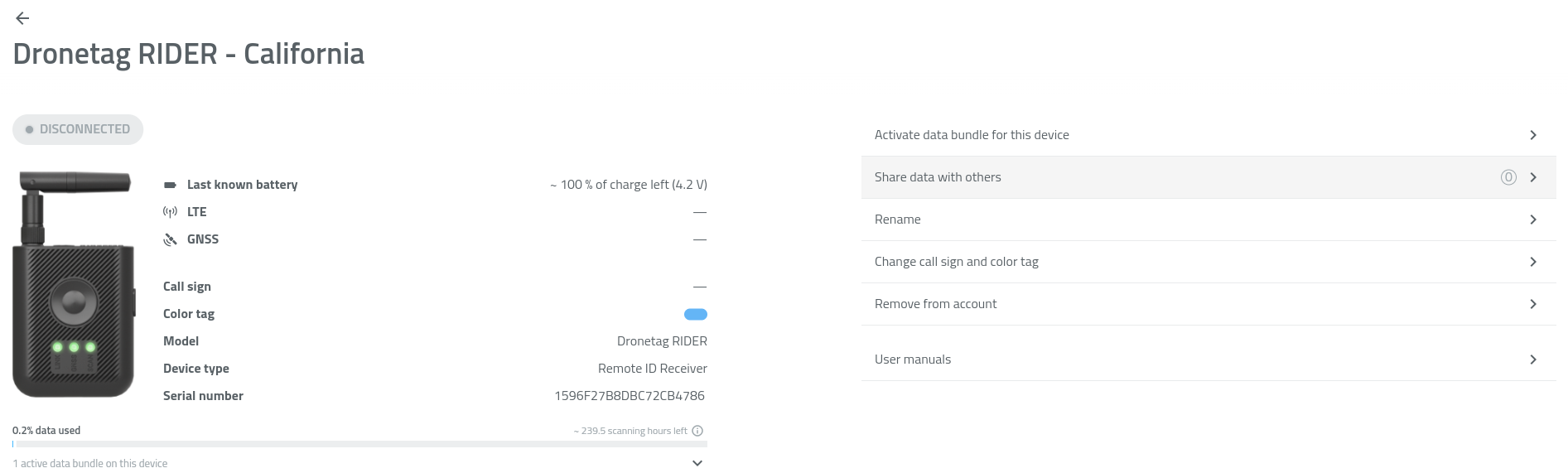
- Tap + Add more.
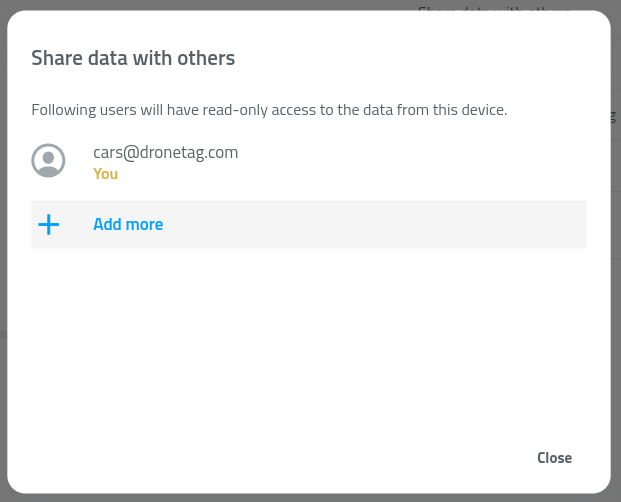
- Enter the email address of the user (the email must be registered in the Dronetag app).
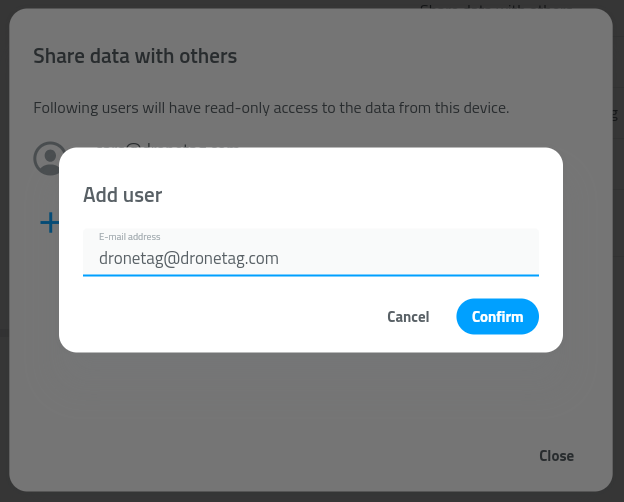
- Confirm by tapping Confirm.
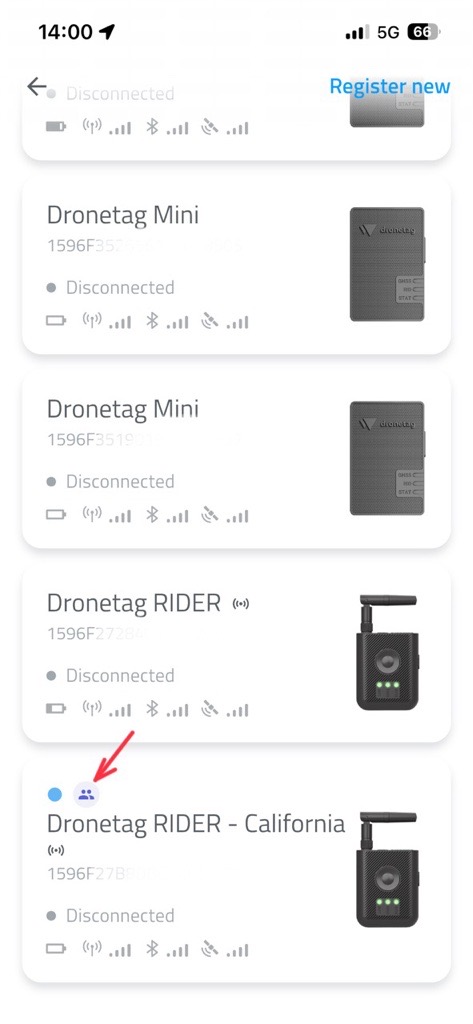
✅ The selected user will now see your RIDER or Scout under My Devices, marked with a shared-device icon.
They will also see the device’s live position on their map in the app.
🗑️ How to Stop Sharing
To remove sharing with a specific user:
- Go to Profile → My Devices.
- Select your Dronetag RIDER or Dronetag Scout.
- Tap Share data with others.
- Find the user in the list of accounts.
- Tap the trash bin icon next to their name.
- Confirm by tapping Delete.
⚙️ Data Sharing Limitations & Future Improvements
While the data sharing feature makes it easy to collaborate across multiple accounts and devices, there are several current limitations to be aware of.
🚧 Current Limitations
-
Device status is not shared
- When you share a device with another account, the recipient does not see the device’s live status (online / in-flight / scanning / offline).
- They will still receive new detection and telemetry data in real time, but the status will remain displayed as offline.
- This behavior is known and will be addressed in a future update.
-
Invalid account error handling
- When entering an email address or account that does not exist, the app currently returns an error message.
- Make sure to double-check that the entered email corresponds to a valid Dronetag account before confirming the share action.
-
Historical data is not shared
- Shared users only receive newly collected data from the moment sharing begins.
- Historical detections or flight logs are not included in the share.
- This limitation also applies if you later re-enable or remove sharing for the same account.
🔭 Future Improvements
We plan to extend the Data Sharing feature with additional functionality in upcoming updates, including:
- Shared access to historical data (detections, flights, telemetry)
- Improved handling of invalid or inactive accounts
- Live synchronization of device status for shared users